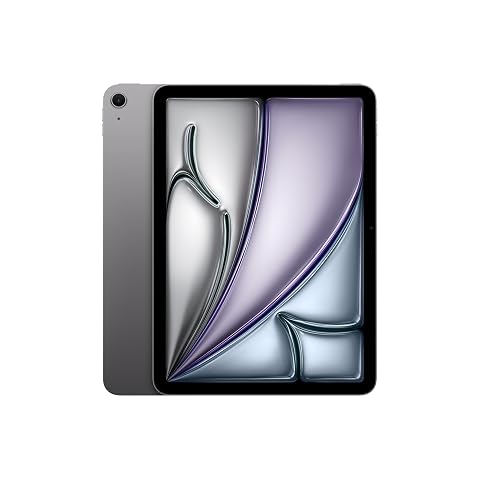
Microsoft Surface Pro 11 5G: Workstation Flexibility for Hybrid Workflows
Evaluating a mobile workstation for modern hybrid routines requires balancing real desktop capability with untethered mobility. The Surface Pro 11 5G targets professionals seeking an agile machine that transitions smoothly from a multi-monitor desk setup to coffee shops, transit hubs, and client sites without relying on fragile Wi-Fi hotspots. Equipped with the Qualcomm Snapdragon X…
9 min read
How we write these. Every figure here — rating, price, stock and specification — is read from the Amazon product listing, not from hardware we tested ourselves. Ratings are the average left by buyers.


Product photos from the Amazon listing.
The product
Surface Pro 11 5G
Amazon buyer rating
4.6/5
Very good
The listing does not publish how many buyers rated it.
Price not listed
- Prime eligible
Affiliate link. Price and stock come from the listing and change without notice.
As Amazon Associates, we earn from qualifying purchases. This means we may receive a small commission at no extra cost to you if you click through and make a purchase.
Evaluating a mobile workstation for modern hybrid routines requires balancing real desktop capability with untethered mobility. The Surface Pro 11 5G targets professionals seeking an agile machine that transitions smoothly from a multi-monitor desk setup to coffee shops, transit hubs, and client sites without relying on fragile Wi-Fi hotspots. Equipped with the Qualcomm Snapdragon X Elite processor, 16GB of system memory, and a 512GB solid-state drive, this 13-inch Platinum tablet runs full Windows 11 Pro under Microsoft’s Copilot+ PC banner. If you spend significant portions of your workweek moving between designated offices and remote environments, this 5G-equipped configuration delivers instantaneous cellular access alongside high-resolution visuals and enterprise-level system protections.
Choosing the right computing hardware means examining how individual specifications translate into everyday operational stamina and ergonomics. This review breaks down what the hardware package provides, from the fluid 165-degree kickstand to its high-density 2880 x 1920 display, before testing how the Snapdragon silicon handles complex business multitasking. We will examine the real-world utility of integrated cellular connectivity, discuss daily power management against Microsoft’s 14-hour rating, address accessory considerations, and analyze whether this specific 2-in-1 platform delivers genuine value for home and remote office specialists.
What You Get With the Surface Pro 11 5G
The Surface Pro 11 5G package centers around a precision-engineered 13-inch tablet chassis designed for business deployment, though buyers should note that the listing does not specify whether detachable keyboards or stylus pens are bundled inside the retail packaging.
In the box
- Microsoft Surface Pro 11 13-inch tablet computer in Platinum finish
- Integrated Qualcomm Snapdragon X Elite processor engineered for responsive multitasking
- Built-in dedicated NPU delivering advanced hardware-accelerated AI features for Windows Copilot+
- 16GB of system memory for fluid enterprise application performance
- 512GB solid-state drive (SSD) for internal business file and software storage
- Factory-installed Windows 11 Pro with built-in credential safeguards, malware shields, and application protection
- Integrated 5G cellular connectivity for untethered high-speed mobile internet access
- High-resolution 13-inch PixelSense display boasting a 2880 x 1920 maximum resolution
- Built-in fluid friction kickstand capable of continuous adjustment up to 165 degrees
- Internal battery capacity rated for up to 14 hours of operational use
Key Specifications
Reviewing the core technical parameters reveals how this portable machine is structured to handle demanding home and corporate applications.
Specifications
- Brand
- Microsoft
- Model Name
- Surface Pro 11
- Processor
- Qualcomm Snapdragon X Elite
- Installed Memory (RAM)
- 16 GB
- Internal Storage
- 512 GB SSD
- Screen Size
- 13 inches
All 11 specifications
- Display Resolution
- 2880 x 1920 pixels
- Operating System
- Windows 11 Pro
- Cellular Connectivity
- 5G
- Battery Life Rating
- Up to 14 hours
- Chassis Color
- Platinum
Quoted from the product listing.
Snapdragon X Elite Performance in Daily Office Work
The inclusion of the Qualcomm Snapdragon X Elite processor marks a monumental architectural transition for Microsoft’s flagship tablet. In an everyday office environment, this ARM-based system architecture operates with exceptional thermal efficiency, handling massive spreadsheets, extensive browser sessions with dozens of active research tabs, and continuous video conferencing without the aggressive thermal throttling or loud fan whine common on legacy platforms. The 16GB of RAM pairs effectively with the 512GB SSD to keep system responsiveness sharp when switching rapidly between enterprise accounting suites, document editors, and project management dashboards. For office workers accustomed to older x86 machines like the surface pro 11 intel alternatives, the ARM architecture delivers immediate resume-from-sleep speeds that mirror modern smartphone responsiveness.
As an official Copilot+ PC, this device integrates the most powerful Neural Processing Unit (NPU) available for a Windows PC. In practical office routines, the dedicated NPU offloads computational burdens from the CPU and GPU, handling AI-driven background tasks such as live audio enhancement, camera framing, and real-time transcription without depleting primary system resources. This dedicated silicon means that your daily productivity software remains completely fluid even when intensive background collaboration features are operating simultaneously during executive briefings.
System security remains non-negotiable for hybrid professionals handling sensitive corporate data across diverse networks. The Surface Pro 11 5G comes preloaded with Windows 11 Pro, which integrates robust enterprise-grade safeguards directly out of the box. These features include advanced credential protection, automated malware shielding, and stringent application integrity controls that ensure background processes cannot compromise local files. When managing proprietary documentation, client spreadsheets, or institutional data from remote co-working spaces, the pairing of Windows 11 Pro with modern ARM hardware security layers provides genuine peace of mind.
Everyday Cellular Setup and Hybrid Commuting
The integrated 5G radio transforms how remote professionals organize their workdays away from the physical office desk. Rather than hunting for guest network credentials in satellite branches, navigating clunky hotel login portals, or rapidly exhausting phone batteries through wireless tethering, the cellular connectivity provides an immediate, secure internet pipeline the moment the device wakes up. Setting up cellular access on Windows 11 Pro is streamlined through modern SIM or eSIM management interfaces within system settings, allowing remote workers to establish continuous data links that bypass untrusted public networks.
For commuters, field consultants, and hybrid coordinators who spend considerable time on trains, in regional terminals, or moving between varied work sites, always-available cellular data alters workflow continuity. You can send critical email replies, synchronize collaborative cloud documents, and join secure virtual calls the second an unexpected delay strikes, maintaining productivity without scrambling for a Wi-Fi hotspot. The persistent connection also ensures cloud-backed drives and enterprise communication clients stay updated continuously in the background, eliminating long sync delays when arriving at an off-site meeting.
Nevertheless, prospective buyers should account for operational factors when adopting a fully cellular PC. Cellular performance naturally depends on local carrier coverage, tower congestion, and surrounding physical structures, meaning transmission speeds fluctuate depending on your physical location. Utilizing 5G data continuously also demands a dedicated carrier data plan or corporate line, which adds ongoing service obligations to your operational equipment budget. For professionals who require uninterrupted network access regardless of where client obligations take them, however, the seamless connectivity easily justifies the infrastructure.
Kickstand Productivity and 2-in-1 Workstation Ergonomics
Ergonomic versatility is a defining strength of the Surface form factor, and the built-in fluid friction kickstand on the Surface Pro 11 allows continuous articulation up to 165 degrees. When placed on a standard desk, the hinge provides rock-solid stability across steep upright angles for multi-window typing as well as low-profile drafting angles suitable for document markup. This smooth mechanical range allows you to fine-tune screen tilt to eliminate overhead office lighting glare or align camera angles perfectly for professional video presentations, avoiding the rigid viewing compromises of traditional clamshell notebooks.
The 13-inch display features a crisp 2880 x 1920 maximum resolution that provides superior screen real estate compared to standard 1080p mobile displays. Its 3:2 aspect ratio is intentionally optimized for productivity tasks, displaying substantially more vertical lines of data in spreadsheets, legal briefs, and coding environments than conventional widescreen panels. For users exploring various display footprints across the ecosystem, including compact designs like a surface pro 12 inch concept or standard surface pro 13 inch workstations, this panel strikes an ideal middle ground between readable detail and compact portability.
Physical workspace versatility does encounter practical trade-offs when operating outside structured desk surfaces. Because the kickstand relies on a thin lower edge to support the display, balancing the unit directly on your lap on public transit or uneven seating is noticeably less stable than working with a rigid laptop base. Furthermore, because the retail listing focuses solely on the tablet unit, shoppers must plan ahead for peripheral input devices; maximizing this machine as a true laptop alternative requires acquiring an external keyboard cover and mouse, which factors into your complete workstation layout.
Real-World Battery Life and Power Management
Battery independence is critical for mobile professionals who move through packed days without reliable access to power outlets. Microsoft rates the Surface Pro 11 for up to 14 hours of operational battery life, a substantial milestone enabled primarily by the architectural efficiency of the Qualcomm Snapdragon X Elite processor. Unlike legacy x86 configurations that consume substantial wattage simply maintaining idle background services, the ARM silicon manages power states dynamically, sipping minimal current during document composition, lightweight browsing, and offline reading tasks.
When deployed in a rigorous hybrid workday, actual runtime reflects individual software and environmental demands. Sustained 5G cellular communication, high screen brightness on the 2880 x 1920 panel, and continuous video streaming or virtual meetings will naturally pull battery reserves down faster than simple word processing. Even so, the aggressive power management of the Snapdragon platform typically allows mobile workers to complete full cross-city commutes and consecutive client presentations without experiencing battery anxiety or needing emergency charging breaks midway through the afternoon.
Transitioning between home docks and remote sites is further simplified by the tablet’s modern charging versatility. While the product listing does not detail proprietary charger specifications, standard Surface platforms support versatile charging routines that integrate smoothly with existing desktop docks and high-output USB-C power bricks. This flexible power ecosystem means you can maintain a streamlined cable setup at your primary office desk while relying on a compact universal charger in your travel bag, keeping total carry weight to an absolute minimum.
Surface Pro 11 5G Pros and Cons
Reasons to buy
- Always-on 5G cellular connectivity
- Efficient Qualcomm Snapdragon X Elite processor
- Sharp 2880 x 1920 resolution display
- Flexible 165-degree fluid kickstand
- Up to 14 hours battery life
- Enterprise Windows 11 Pro security
Reasons to avoid
- Listing does not specify included keyboard or pen
- Kickstand design awkward for lap typing
- Requires dedicated cellular plan for 5G data
Check Surface Pro 11 5G on Amazon
Is the Surface Pro 11 5G Worth It
The Surface Pro 11 5G represents a compelling investment for hybrid knowledge workers, traveling corporate specialists, and enterprise professionals who refuse to be tethered to fixed Wi-Fi networks. The convergence of the Snapdragon X Elite chip, 16GB of memory, 512GB SSD storage, and built-in 5G makes it a formidable tool for individuals whose workdays fluidly transition between desk monitors, commuter trains, and off-site client facilities. When combined with the high-resolution 13-inch display and enterprise-grade Windows 11 Pro security, it fulfills the promise of a lightweight, highly secure portable workstation.
On the other hand, traditional desk-bound office workers who rarely leave an established home office or corporate building may find the premium of integrated 5G unnecessary. If your work habits revolve strictly around reliable broadband Wi-Fi and permanent desktop docks, standard non-cellular machines or traditional clamshell enterprise laptops may offer identical computing utility without recurring cellular plan considerations. Furthermore, professionals who perform heavy lap typing during daily transit must carefully evaluate whether the kickstand design matches their specific ergonomic preferences.
Ultimately, if your professional effectiveness hinges on instantaneous network access, responsive AI-backed productivity, and flexible workstation angles in any physical setting, this configuration delivers unmatched utility. The Snapdragon platform solves historical battery compromises while delivering snappy daily performance, making the Surface Pro 11 5G one of the most versatile hybrid productivity devices currently available for modern business workflows.
FAQ
Does the Surface Pro 11 5G include a keyboard and stylus pen in the box?
The product listing does not specify whether detachable keyboards or stylus pens are included in the packaging. Typically, official Type Covers and Surface Pens are sold as separate accessories, so buyers should plan to verify bundled contents or purchase input accessories separately to build a complete laptop experience.
How does the 5G cellular connection work for everyday office routines?
The integrated 5G modem connects to cellular data networks via compatible SIM or eSIM carrier profiles configured in Windows 11 Pro settings. Once activated with an active carrier data plan, it maintains an uninterrupted internet connection wherever cellular signal exists, bypassing the security risks and inconvenience of public Wi-Fi hotspots.
What are the productivity advantages of the 13-inch 2880 x 1920 screen?
The 2880 x 1920 resolution provides high pixel density for crisp text rendering, which significantly reduces eye fatigue during long document editing sessions. Additionally, its 3:2 aspect ratio provides extra vertical height compared to standard widescreen laptops, displaying more spreadsheet rows and document pages without constant scrolling.
How far does the built-in kickstand recline during desk work?
The integrated fluid kickstand reclines up to 165 degrees. This broad mechanical range accommodates upright angles for standard monitor-level viewing, mid-range angles for touch interaction, and near-flat angles designed for comfortable digital note-taking and desktop markup.
Where these numbers come from
- 192reviews published
- 1,398products with a buyer rating
- 1,374products with listed features
- 84brands covered
Ratings, prices, stock and specifications are read from the Amazon product listing. We do not run lab tests of our own, so a score on this site is the average rating left by buyers, not a verdict from a test bench. Prices change without notice — check the listing before buying.