Carlinkit FireDrive Link Pro: Transforming In-Car Entertainment for Daily Travel
Modern vehicle cabins serve as secondary workspaces and mobile waiting rooms, making seamless multimedia access an attractive addition to daily transit. The Carlinkit FireDrive Link Pro addresses this demand by acting as a bridge between your vehicle display and external video hardware. Built specifically for automobiles equipped with factory wired CarPlay, this adapter converts that…
9 min read
How we write these. Every price, stock status and specification here is read from the Amazon product listing, not from hardware we tested ourselves. Scores are out of 10, based on listed specifications and buyer feedback.
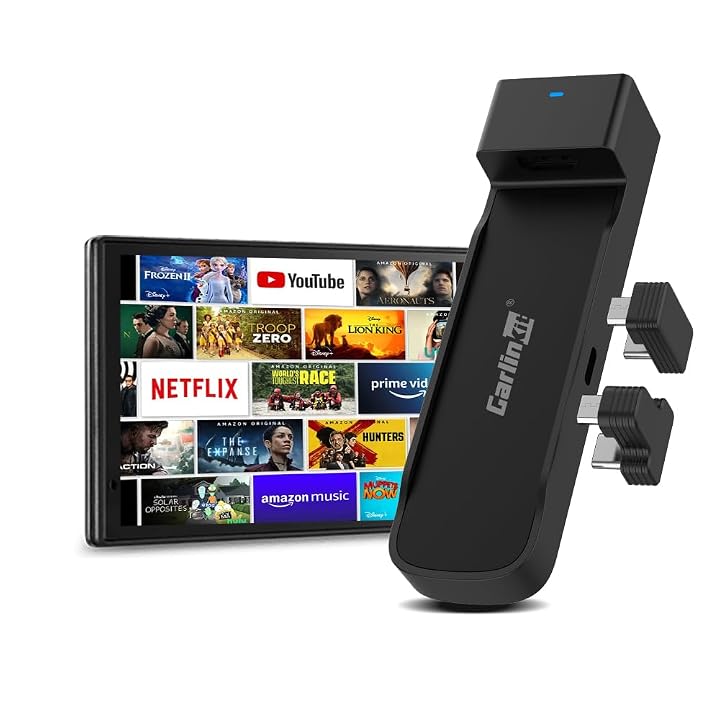
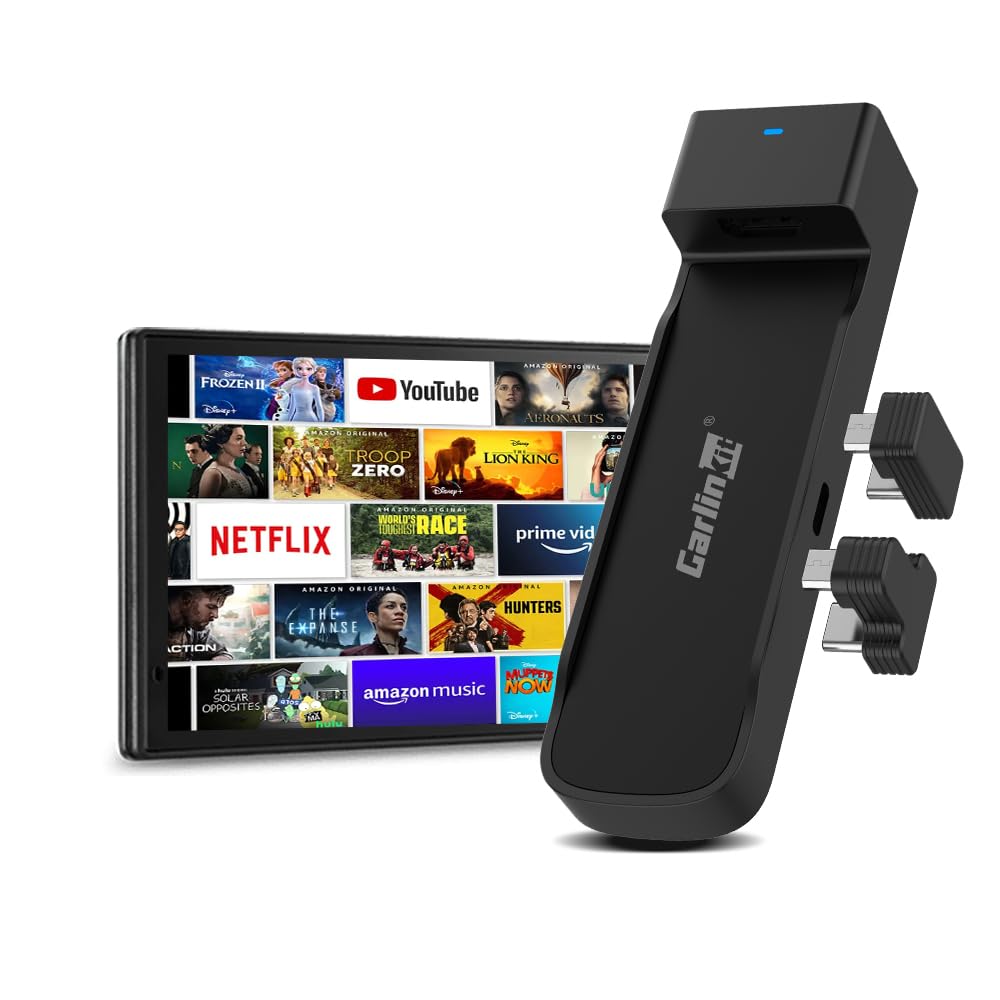


Product photos from the Amazon listing.
The product
Carlinkit FireDrive Link Pro
Our score
7.6/10
Mixed
Price not listed
- Prime eligible
- Sold by CarlinKit Official, shipped by Amazon
Affiliate link. Price and stock come from the listing and change without notice.
As Amazon Associates, we earn from qualifying purchases. This means we may receive a small commission at no extra cost to you if you click through and make a purchase.
Modern vehicle cabins serve as secondary workspaces and mobile waiting rooms, making seamless multimedia access an attractive addition to daily transit. The Carlinkit FireDrive Link Pro addresses this demand by acting as a bridge between your vehicle display and external video hardware. Built specifically for automobiles equipped with factory wired CarPlay, this adapter converts that native wired data port into an active HDMI receiver while simultaneously adding wireless functionality for Apple CarPlay and Android Auto. Instead of relying solely on factory smartphone projection, the adapter allows users to attach external HDMI streaming devices, transforming an otherwise locked-down vehicle console into a flexible entertainment display.
Choosing the right in-cabin connectivity tool requires understanding its boundaries, setup requirements, and hardware quirks. This comprehensive review examines whether this multi-purpose adapter makes sense for your daily schedule, what accessories you must supply on your own, and how the physical unit integrates into factory dashboard consoles. Over the following sections, we evaluate the package contents, full hardware specifications, vehicle compatibility limits, setup protocols, and real-world considerations for commuters and travelers alike.
What You Get With the Carlinkit FireDrive Link Pro
The product package provides the necessary conversion cords and adapters required to link your vehicle infotainment system to an external streaming stick, though it assumes you already have your own media player ready to deploy.
In the box
- 1 Carlinkit FireDrive Link Pro main unit
- 1 Packing box
- 1 USB-C adapter
- 1 Power data Y cable
- 2 Power supply adapters
- Integrated HDMI source input support for external media sticks
- Firmware protocol supporting conversion of wired CarPlay to wireless CarPlay and Android Auto
- Important inclusion notice: An Amazon Fire TV Stick is not included in the box and must be purchased separately
Key Specifications
Specifications
- Brand
- Carlinkit
- Model Name
- Carlinkit FireDrive Link Pro
- Model Number
- 16f6e32e-998e-4a68-8dcd-0d3d1e799c60
- Form Factor
- TV Stick
- Dimensions
- 1.33 inches L x 0.9 inches W x 4.82 inches H
- Color
- Black
All 11 specifications
- Output Video Resolution
- Up to 1080P (1920×1080)
- Video Codec Support
- H.264, H.265/HEVC, VP9, AV1
- Host Compatibility
- Vehicles equipped with factory wired CarPlay
- Excluded Vehicles
- All BMW models and all Tesla models
- Known Display Limitations
- Ford models cannot display full screen
Quoted from the product listing.
Vehicle Compatibility and Screen Behavior Across Different Makes
Understanding firedrive link pro compatibility is the most critical first step before considering this device for your commute. The unit relies directly on an established wired CarPlay handshake from the vehicle manufacturer. If your car does not possess native wired CarPlay hardware built into its dashboard, the adapter cannot establish a handshake with the central processing unit of your infotainment screen. This fundamental operating requirement means that vehicles featuring solely Bluetooth connections or proprietary infotainment architectures cannot interpret the video feed supplied through the USB port.
The listing explicitly notes that all BMW and Tesla models are strictly incompatible with the hardware. Tesla utilizes its own closed software ecosystem without CarPlay support of any kind, while modern BMW vehicles typically implement wireless-only CarPlay connections that bypass the physical data port handshakes this adapter requires. Attempting to install the device on these brands will result in zero video transmission. Drivers migrating between vehicle types should confirm that their secondary or primary commuter vehicle maintains an authentic USB data connection designed for CarPlay interaction.
Display scaling also introduces specific variations across supported vehicle brands. For instance, Ford vehicle owners face an unavoidable display constraint where the interface cannot stretch to full screen. Ford infotainment software restricts the video output aspect ratio, resulting in black bars or pillarboxing along the edges of the vehicle display. While the system remains completely operational for video viewing, buyers who insist on edge-to-edge playback across broad infotainment panels should weigh this behavior. Just as serious driving enthusiasts choose specialized simulation hardware like a logitech pro wheel for precise cockpit feedback, in-car media hardware requires setting clear expectations for how your specific dashboard communicates with external accessories.
Daily Commute Convenience and Wireless Connectivity Setup
For daily driving routines that do not involve parked entertainment, the fire drive link pro wireless carplay capabilities provide an immediate workflow enhancement. Plugging your smartphone into a physical cable every time you step into the car creates unwanted dashboard clutter and accelerates wear on your phone charging port. By permanently installing this adapter into the factory USB data socket, your vehicle automatically recognizes your phone wirelessly when you turn on the ignition, loading navigation maps and audio players without physical intervention.
The adapter also supports conversion to wireless Android Auto alongside its Apple CarPlay capabilities. This dual support provides flexibility for households where multiple drivers share a vehicle using different mobile operating systems. When you transition from a busy morning drive to an extended waiting period in a parking stall, the system allows you to toggle from standard hands-free navigation directly into the video input channel fed by your auxiliary media hardware.
This operational duality suits professional commuters who frequently find themselves working or relaxing from the driver seat between client meetings or during electric vehicle charging sessions. Rather than draining your phone battery by streaming video clips onto a small handheld display, you route the media directly onto the primary in-dash screen. Digital power users who manage media libraries through specialized home storage devices like a wd red pro nas hard drive – 18tb can appreciate the utility of taking centralized content along on mobile flash drives or streaming devices to watch during vehicle downtime.
HDMI Input and Video Playback During Road Trips
Long-distance travel is where the fire drive link pro hdmi input shows its primary appeal, making the fire drive link pro for road trips a viable solution for parked passenger entertainment. The core function of the carlinkit fire tv stick carplay adapter involves taking the uncompressed HDMI feed from an external media device and encoding it into an active CarPlay video stream that the vehicle accepts. Passengers can enjoy a familiar streaming platform interface directly on the dashboard monitor while the vehicle is parked during rest stop intervals or destination pauses.
According to the official fire drive link pro specs, the device outputs a crisp 1920×1080 resolution at up to 1080P, matching the native resolution of most modern automotive displays. The hardware integrates decoding support for modern high-efficiency video formats, including H.264, H.265/HEVC, VP9, and AV1. These advanced codecs allow video data to stream smoothly with reduced bandwidth demands, which is particularly beneficial when tethering your media stick to a cellular mobile hotspot during highway excursions.
It is important to remember that the Carlinkit device acts solely as a display conduit. Because the TV stick is not included, users must supply their own media stick along with its dedicated remote control. If you intend to stream media, your streaming stick requires an internet connection via your smartphone personal hotspot or an in-vehicle Wi-Fi subscription. Content enthusiasts who maintain expansive home movie archives on an hgst ultrastar 8tb server setup can pre-load or cast their personal collections through compatible apps on their streaming stick, ensuring entertainment is readily available even in areas with spotty cellular coverage.
Cable Management and Hardware Installation in Compact Consoles
A successful fire drive link pro setup relies heavily on how well you organize the provided wiring inside your vehicle center console. The primary unit features a compact form factor measuring 1.33 inches long, 0.9 inches wide, and 4.82 inches high, resembling an elongated dongle. However, connecting an auxiliary media stick alongside the main adapter introduces additional cabling that requires deliberate routing to keep your interior neat and functional.
The package contains a Power Data Y Cable, a USB-C adapter, and two power supply adapters designed to ensure both the Carlinkit unit and your third-party streaming stick receive stable electrical power. In many vehicles, the factory USB data port provides only enough amperage for standard phone communication, falling short of the continuous power demanded by an active streaming stick. The included Y cable resolves this limitation by splitting the data communication to the vehicle port while drawing auxiliary operating power from a secondary 12V cigarette lighter plug or separate high-output USB socket.
When organizing the installation, tucking the Carlinkit unit and your chosen streaming stick into the center armrest storage compartment prevents loose wires from tangling around the gear selector or climate control switches. Because the streaming stick relies on an infrared or radio-frequency remote control, positioning the assembly where wireless remote signals can reach it easily guarantees smooth menu navigation. Taking the time to secure the cabling with simple ties prevents unwanted rattles and maintains the clean, uncluttered aesthetic expected in a modern mobile office setup.
Carlinkit FireDrive Link Pro Pros and Cons
Reasons to buy
- Converts wired CarPlay to wireless CarPlay and Android Auto
- Supports external HDMI streaming stick video input
- Outputs crisp 1080p high-definition video resolution
- Decodes modern codecs including HEVC, VP9, and AV1
- Includes dedicated power data Y cable and adapters
Reasons to avoid
- Fire TV Stick not included in the package
- Completely incompatible with all BMW and Tesla models
- Cannot display full-screen video on Ford infotainment screens
- Requires existing factory wired CarPlay in the vehicle
Check Carlinkit FireDrive Link Pro on Amazon
Is the Carlinkit FireDrive Link Pro Worth It
Deciding if the fire drive link pro is worth it comes down to how your vehicle is equipped and how much downtime you spend sitting inside the cabin. For drivers whose cars feature native wired CarPlay and who regularly find themselves waiting for appointments, charging electric batteries, or taking extended road trips, this 3-in-1 device solves several multimedia bottlenecks at once. The hardware eliminates the daily friction of plugging in your phone by delivering wireless CarPlay and Android Auto, while offering an immediate display input for streaming hardware whenever you park.
Conversely, this unit does not suit drivers seeking a simple all-in-one gadget that works straight out of the package with zero additional equipment. Because you must provide your own streaming stick, set up mobile hotspot tethering, and manage multiple adapter cables inside your console, the installation requires active effort. Furthermore, owners of BMW and Tesla vehicles cannot use the device due to hardware incompatibility, and Ford drivers must accept a restricted, non-fullscreen viewing window.
If you already own an Amazon Fire TV Stick or similar HDMI media device and want to utilize your vehicle screen as a personal cinema during travel stops, the Carlinkit FireDrive Link Pro delivers reliable decoding and broad wireless support. As long as you review your vehicle compatibility and plan out your console cable organization, it stands out as an effective upgrade for commuter convenience and travel entertainment.
FAQ
Does the Carlinkit FireDrive Link Pro come with an Amazon Fire TV Stick?
No, the product listing states multiple times that an Amazon Fire TV Stick is not included in the package. The box includes the Carlinkit main unit, a USB-C adapter, a Power Data Y Cable, and two power supply adapters. You must provide your own streaming stick and its corresponding remote control.
Will this adapter work in BMW or Tesla vehicles?
No, the manufacturer clearly specifies that all BMW and Tesla models are incompatible with the adapter. The device requires a factory wired CarPlay connection, which Tesla vehicles do not possess and BMW vehicles typically do not implement over physical USB data lines.
Can the adapter convert wired CarPlay to wireless Android Auto?
Yes, the hardware includes support to convert a factory wired CarPlay system into either wireless Apple CarPlay or wireless Android Auto, providing flexible connectivity regardless of which mobile operating system you carry.
What video resolutions and codecs does the device support?
The Carlinkit FireDrive Link Pro outputs video resolution at up to 1080P (1920×1080). It supports standard and high-efficiency video decoding codecs, including H.264, H.265/HEVC, VP9, and AV1.
Where these numbers come from
- 531reviews published
- 1,398products with a score
- 1,374products with listed features
- 84brands covered
Ratings, prices, stock and specifications are read from the Amazon product listing. We do not run lab tests of our own, so scores on this site are out of 10, based on listed specifications and buyer feedback, not a verdict from a test bench. Prices change without notice — check the listing before buying.


