Acer Aspire 3 15.6 Touchscreen Laptop: Home Office Workflow Review
Finding a balance between responsive computing and ergonomic comfort is essential when setting up a functional home workspace. The Acer Aspire 3 15.6 Touchscreen is designed for remote professionals, students, and everyday multitaskers who need dependable execution for business applications without unnecessary complexity. Powered by an AMD Ryzen 5 7520U processor, 16GB of LPDDR5 system…
7 min read
How we write these. Every figure here — rating, price, stock and specification — is read from the Amazon product listing, not from hardware we tested ourselves. Ratings are the average left by buyers.


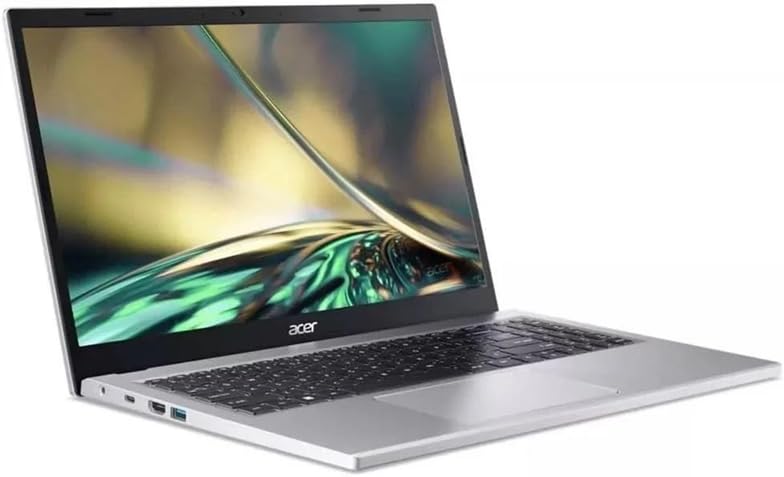
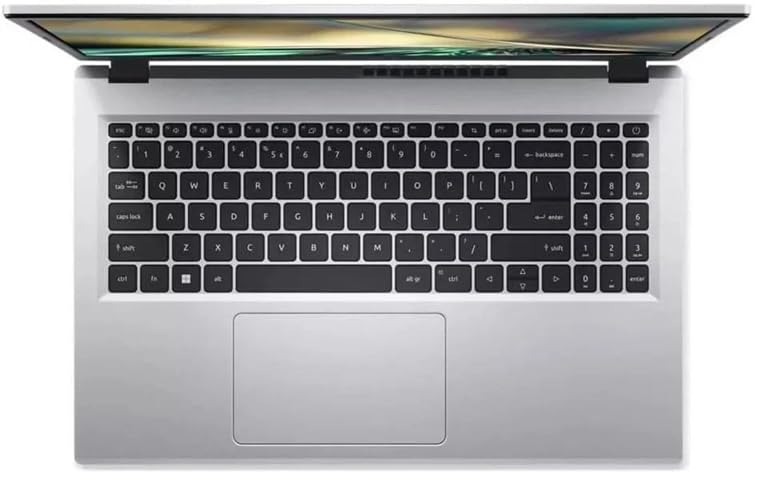
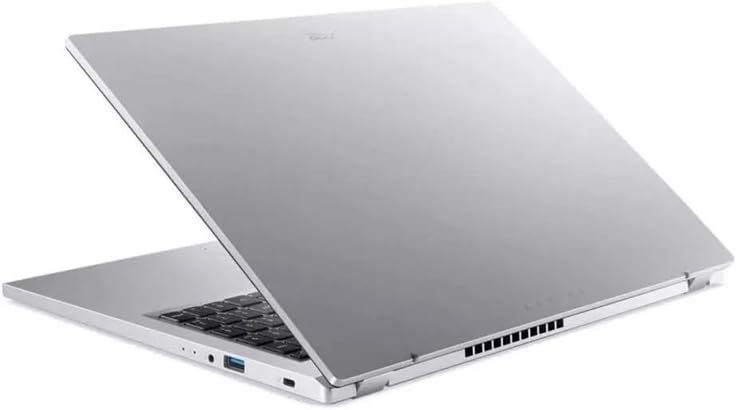
Product photos from the Amazon listing.
The product
Acer Aspire 3 15.6 Touchscreen
Amazon buyer rating
1.0/5
From only 1 rating — too few to call it good or bad.
Price not listed
- Sold by REFPCKing
Affiliate link. Price and stock come from the listing and change without notice.
As Amazon Associates, we earn from qualifying purchases. This means we may receive a small commission at no extra cost to you if you click through and make a purchase.
Finding a balance between responsive computing and ergonomic comfort is essential when setting up a functional home workspace. The Acer Aspire 3 15.6 Touchscreen is designed for remote professionals, students, and everyday multitaskers who need dependable execution for business applications without unnecessary complexity. Powered by an AMD Ryzen 5 7520U processor, 16GB of LPDDR5 system memory, and a 1TB PCIe Gen 4 NVMe solid-state drive, this clamshell laptop provides an attractive hardware specification for daily administrative tasks. The addition of a 15.6-inch Full HD touchscreen display introduces practical tactile control to standard office routines, making file management, web browsing, and document markup straightforward.
Determining whether this laptop fits your daily desk routine requires looking past the spec sheet to evaluate how its core components operate under steady office workloads. While the quad-core AMD processor and modern memory standard handle typical business productivity well, factors like display ergonomics, physical weight, and peripheral setup play equally critical roles in user satisfaction. This review analyzes the real-world performance of the Acer Aspire 3, examining its multitasking capability, touchscreen usability, storage speed, and workspace adaptability to help you decide if it matches your home office workflow.
What You Get With the Acer Aspire 3 15.6 Touchscreen
The Acer Aspire 3 15.6 Touchscreen arrives in a clean silver chassis designed to function as an efficient productivity workstation for daily home and office tasks.
In the box
- AMD Ryzen 5 7520U processor featuring Zen 2 architecture with 4 cores and 8 threads
- 16GB of high-speed LPDDR5 system memory
- 1TB PCIe Gen 4 NVMe solid-state drive for extensive local file storage
- 15.6-inch Full HD (1920 x 1080) ComfyView LED-backlit IPS touchscreen display
- Integrated graphics architecture for daily business software and entertainment
- Built-in 720p HD webcam for virtual meetings and teleconferencing
- Integrated fingerprint recognition sensor for biometric security
- Pre-installed Microsoft Windows 11 Home operating system
Key Specifications
Specifications
- Processor
- AMD Ryzen 5 7520U (4 Cores, 8 Threads, Zen 2 Architecture)
- System Memory
- 16GB LPDDR5 RAM
- Storage Drive
- 1TB PCIe Gen 4 NVMe SSD
- Display Size and Panel
- 15.6-inch ComfyView IPS LED-Backlit Touchscreen
- Resolution
- Full HD (1920 x 1080)
- Operating System
- Windows 11 Home
All 10 specifications
- Biometric Feature
- Fingerprint Recognition
- Webcam
- 720p HD Webcam
- Chassis Weight
- 3 pounds
- Color
- Silver
Quoted from the product listing.
Multitasking Performance and Daily Productivity
Smooth daily productivity in a home office depends on a computer running multiple business programs without slowing down the active interface. The Acer Aspire 3 is powered by the AMD Ryzen 5 7520U processor, which uses four cores and eight threads to handle standard workloads smoothly. In a typical workday, this configuration accommodates simultaneous web browser research, spreadsheet editing, document drafting, and background synchronization services. The underlying Zen 2 architecture ensures that routine administrative duties run predictably without sluggish transitions between windows.
A major asset for day-to-day responsiveness is the inclusion of 16GB of LPDDR5 RAM. Modern desktop software and web tools consume memory quickly, often causing systems with lower memory allocations to stall during heavy research sessions. With 16GB of high-bandwidth memory available, you can leave dozens of browser tabs open while running productivity suites and video communication apps simultaneously. Compared to older configurations like the acer aspire 5 16gb ram, the adoption of LPDDR5 memory helps improve memory bandwidth and system responsiveness across demanding multitasking scenarios.
Touchscreen Utility and Display Ergonomics
The 15.6-inch Full HD ComfyView display on this notebook delivers a native resolution of 1920 x 1080 pixels with an IPS panel that maintains consistent viewing angles. Acer incorporates a ComfyView anti-glare matte coating across the glass, which is an important feature for home offices situated near windows or bright desk lamps. This matte finish diffuses ambient reflections, minimizing eye fatigue during long sessions spent analyzing financial records, writing reports, or reviewing dense text documentation.
Touchscreen functionality adds practical versatility to a standard laptop form factor. While convertible devices like the lenovo – yoga 7 2-in-1 – copilot+ pc – 14 2k oled touchscreen laptop – amd ryzen ai 5 340 2025 – 16g offer full tablet rotation, having responsive touch input on this standard clamshell display still provides clear ergonomic benefits. You can quickly tap screen dialogs, scroll through long web articles, sign digital documents, or navigate project tracking boards without reaching for the touchpad. The combination of Full HD clarity and direct touch input improves physical comfort during varied daily workflows.
Storage Performance and Fast Data Access
Fast storage drives are critical for remote professionals who need quick operating system boots and instant access to large project files. The Acer Aspire 3 comes equipped with a 1TB PCIe Gen 4 NVMe solid-state drive, providing modern data read and write speeds. The Gen 4 NVMe interface ensures that the Windows 11 Home environment boots in seconds, software applications launch without delay, and local file transfers complete smoothly. This direct data throughput enhances everyday productivity when loading large data sets or archiving presentation decks.
The generous 1TB capacity also eliminates storage anxiety for users who handle extensive offline document archives and multimedia assets. Many entry-level productivity notebooks, including basic models such as the acer – aspire go 15 – 15.6 fhd laptop – amd ryzen 7 7730u 2023 – amd radeon graphics – 16gb ddr4 – 5, frequently offer smaller local storage drives that fill quickly. Having a full terabyte of fast internal solid-state storage gives home office workers plenty of room to archive project deliverables, personal photos, and local backups without relying entirely on external storage drives.
Desk Setup Integration and Workspace Mobility
Integrating a laptop into a home office environment requires considering its physical footprint, weight, and adaptability to peripheral hardware. Weighing just 3 pounds, the Acer Aspire 3 is notably lightweight for a full-sized 15.6-inch machine. This makes it effortless to carry between a dedicated workstation, a dining table, or off-site meeting rooms. Its silver finish presents a clean, professional aesthetic that blends naturally with desktop risers, external keyboards, and modern home decor.
For workers planning an acer aspire 3 dual monitor setup, the machine functions reliably as the core of an expanded desktop workstation. While the listing does not specify the precise arrangement of external display outputs or USB port speeds, standard video connectors and compatible docking solutions allow you to connect external desktop monitors easily. You can operate an external monitor as your primary screen while utilizing the laptop’s 15.6-inch touchscreen as an auxiliary panel for chat apps or notes. The built-in 720p HD webcam and integrated fingerprint reader also keep your desk clear of external security fobs and basic web camera accessories.
Acer Aspire 3 15.6 Touchscreen Pros and Cons
Reasons to buy
- Fast 16GB LPDDR5 system memory
- Spacious 1TB Gen 4 NVMe SSD
- Anti-glare ComfyView Full HD touchscreen
- Lightweight three-pound portable chassis
- Built-in fingerprint recognition security
Reasons to avoid
- Basic 720p resolution webcam
- Integrated graphics unsuitable for heavy gaming
- Quad-core CPU limits heavy rendering
Check Acer Aspire 3 15.6 Touchscreen on Amazon
Is the Acer Aspire 3 15.6 Touchscreen Worth It
The Acer Aspire 3 15.6 Touchscreen represents a practical, well-balanced solution for general home office productivity, remote learning, and day-to-day multitasking. With its 4-core AMD Ryzen 5 processor, 16GB of LPDDR5 RAM, and expansive 1TB Gen 4 solid-state drive, it delivers reliable responsiveness across standard business tools, web portals, and video communication platforms. The ComfyView anti-glare touchscreen display adds useful tactile control while keeping eye strain manageable throughout long workdays.
However, users who handle intensive computational workloads should recognize the natural limits of this hardware platform. The integrated graphics architecture and four-core processor are engineered for administrative productivity, content consumption, and document workflows rather than heavy 3D rendering, complex video effects processing, or advanced 3D gaming. If your daily tasks center on high-end creative production or professional software compilation, a workstation with dedicated graphics is required. For traditional home office tasks, document processing, and flexible multitasking, this laptop delivers dependable daily service.
FAQ
Does this laptop feature biometric login options?
Yes, the Acer Aspire 3 includes an integrated fingerprint recognition sensor. This feature enables fast, secure sign-in through Windows 11 Home without needing to enter a password manually every time you unlock the machine.
Can the system memory or storage be upgraded later?
The laptop comes configured with 16GB of LPDDR5 RAM and a 1TB PCIe Gen 4 NVMe solid-state drive. Because LPDDR5 memory is typically soldered to the motherboard for energy efficiency, memory upgrades may not be supported; the listing does not specify user-accessible upgrade slots.
Where these numbers come from
- 192reviews published
- 1,398products with a buyer rating
- 1,374products with listed features
- 84brands covered
Ratings, prices, stock and specifications are read from the Amazon product listing. We do not run lab tests of our own, so a score on this site is the average rating left by buyers, not a verdict from a test bench. Prices change without notice — check the listing before buying.


